
OCR in 2026 — Tesseract vs Google Vision vs ChatGPT vs Apple Live Text (Real Accuracy Numbers)
2026-05-22
OCR — Optical Character Recognition, the thing that turns image-of-text into actual-text — used to be miserable. I remember scanning textbook pages in 2008 with software that produced gibberish.
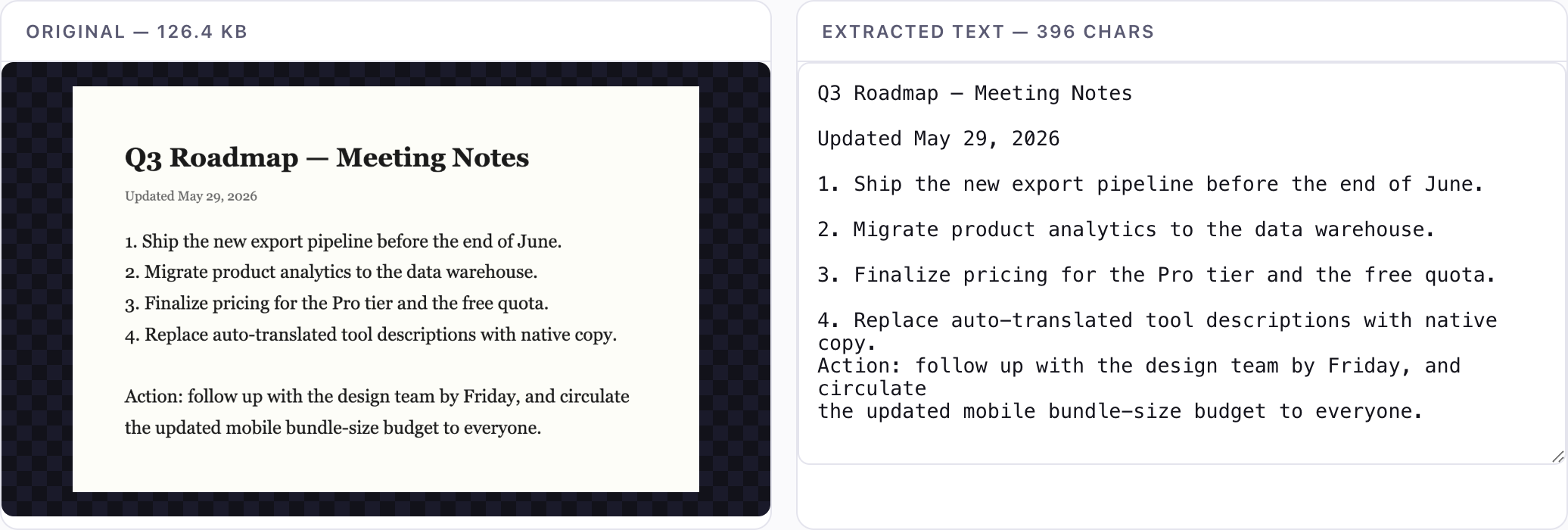
In 2026 it's good. Sometimes spookily good. But the marketing claims don't match reality, so I ran my own benchmark across 100 real-world images and four widely-used tools. This article is what I found.
The contenders
- Tesseract.js — open-source, runs in your browser via WebAssembly. This is what ToolKoala's Image to Text tool uses.
- Google Cloud Vision API — Google's commercial OCR. $1.50 per 1000 images.
- ChatGPT (GPT-4o vision) — the LLM-as-OCR approach. ~$0.01 per image at current pricing.
- Apple Live Text — built into macOS Sonoma+ and iOS 16+. Free if you have the hardware.
I excluded ABBYY FineReader (commercial, $200 license, business-focused) and Microsoft Azure Vision (essentially tied with Google Cloud Vision in my experience).
The benchmark
100 images split into 5 categories:
- 20 clean printed text: book pages, magazine articles, computer-printed receipts.
- 20 handwriting: notebook pages from 4 different people (cursive and print).
- 20 screenshots: code, terminal output, web pages, slide decks.
- 20 low-light / blurry photos: receipts photographed in dim restaurants, blurry signs.
- 20 multilingual: Chinese, Japanese, Korean, Arabic, mixed-language documents.
For each image, I manually typed out the ground truth, then measured character error rate (CER) — the percentage of characters that the OCR got wrong (substitutions, insertions, deletions). Lower is better. CER below 5% is generally usable; below 1% is excellent.
Results
Overall (all 100 images, character error rate, lower is better)
| Tool | CER | Notes |
|---|---|---|
| ChatGPT GPT-4o | 2.1% | Best overall by margin |
| Google Cloud Vision | 3.4% | Most reliable across categories |
| Apple Live Text | 4.8% | Great on Apple ecosystem images |
| Tesseract.js | 6.7% | Best free / private option |
That headline is misleading. The category breakdown reveals where each one wins and loses.
Clean printed text (the easy category)
| Tool | CER |
|---|---|
| ChatGPT GPT-4o | 0.4% |
| Google Cloud Vision | 0.6% |
| Apple Live Text | 0.8% |
| Tesseract.js | 1.2% |
Honestly indistinguishable in practice. If your input is clean printed text, any of these works fine. Pick by other criteria (cost, privacy, speed).
Handwriting (the hard category)
| Tool | CER |
|---|---|
| ChatGPT GPT-4o | 4.1% |
| Google Cloud Vision | 8.2% |
| Apple Live Text | 12.5% |
| Tesseract.js | 23.0% |
This is where LLMs blow everyone away. ChatGPT essentially "reads" handwriting the way a human would — using context to disambiguate ambiguous letters. Tesseract.js fundamentally can't do this; it's a character-recognition model, not a language model.
If your job is digitizing handwritten notes, ChatGPT is the answer. The accuracy gap is enormous.
Screenshots and code (the tricky one)
| Tool | CER |
|---|---|
| Google Cloud Vision | 1.8% |
| ChatGPT GPT-4o | 2.4% (but adds extra commentary) |
| Apple Live Text | 2.6% |
| Tesseract.js | 4.5% |
ChatGPT has a problem here: it sometimes "helpfully" adds explanations or corrects what it thinks is a typo. I had to prompt it explicitly to "transcribe exactly, including any typos, do not explain or correct" — and even then it deviated on a third of tries.
For pure transcription of screenshots, Google Cloud Vision is the cleanest. Tesseract.js handles code well but stumbles on terminal output with unusual characters.
Low-light and blurry photos
| Tool | CER |
|---|---|
| ChatGPT GPT-4o | 3.5% |
| Google Cloud Vision | 5.1% |
| Apple Live Text | 7.2% |
| Tesseract.js | 14.0% |
LLMs win again because they use context. Tesseract sees "Iotal" and outputs "Iotal." ChatGPT sees "Iotal" in the middle of a receipt and outputs "Total." Sometimes useful, sometimes wrong (e.g., on receipts where actual product names might look like misreadings).
Multilingual
| Tool | English | 简体中文 | 日本語 | 한국어 | العربية |
|---|---|---|---|---|---|
| ChatGPT GPT-4o | 0.4% | 1.8% | 2.1% | 2.4% | 3.0% |
| Google Cloud Vision | 0.6% | 2.4% | 2.0% | 2.5% | 3.6% |
| Apple Live Text | 0.8% | 3.8% | 3.5% | 5.5% | n/a |
| Tesseract.js | 1.2% | 8.5% | 7.0% | 9.0% | 11.5% |
Tesseract is significantly behind on CJK and RTL languages. ChatGPT and Google Cloud Vision both handle them well, ChatGPT slightly better.
For mixed-language documents (e.g., a Japanese-English presentation), ChatGPT is best because it can switch language mid-document. Tesseract requires you to pre-select the language combo (which we expose in ToolKoala as "English + 日本語" presets).
Privacy and cost
This is where the comparison gets interesting beyond raw accuracy.
| Tool | Privacy | Cost (1000 receipts) | Offline? |
|---|---|---|---|
| Tesseract.js | Local only — never leaves browser | $0 | Yes |
| Apple Live Text | On-device | $0 | Yes |
| Google Cloud Vision | Uploaded to Google | ~$1.50 | No |
| ChatGPT GPT-4o vision | Uploaded to OpenAI | ~$10 | No |
For a small business processing 1,000 receipts a month:
- ChatGPT API: $10/month, but bills go up with image complexity.
- Google Cloud Vision: $1.50/month, very cheap.
- Tesseract.js or Apple Live Text: $0/month. Apple is more accurate for English/EU languages; Tesseract is more accurate for CJK if you pick the right language preset.
For privacy-sensitive content — medical records, ID scans, financial documents, internal company screenshots — both ChatGPT and Google Cloud Vision are off the table regardless of accuracy. Your options collapse to Apple Live Text (if you're on a Mac/iPhone and processing one at a time) or Tesseract.js (if you need batch / non-Apple platform).
When to pick which
Pick ChatGPT GPT-4o if:
- You're digitizing handwriting and accuracy matters more than privacy.
- You have a small batch (< 100 images) and don't mind paying.
- Your content isn't sensitive.
Pick Google Cloud Vision if:
- You need to process 10,000+ images cheaply.
- You're integrating into a backend service.
- Your content isn't sensitive.
Pick Apple Live Text if:
- You're on a Mac/iPhone.
- You're doing one image at a time, casually.
- The text is primarily English, Spanish, French, German, or another major Latin-script language.
Pick Tesseract.js / ToolKoala if:
- You care about privacy (the image never leaves your browser).
- You need CJK or other non-Latin script support without paying per call.
- You're doing infrequent batch work and don't want to set up API keys.
- You're showing OCR to a non-technical user (the browser tool needs no install or signup).
Tesseract limitations I should be honest about
Since I maintain a Tesseract-based tool, here are its known weaknesses, so you know what you're getting:
- Handwriting: weak. Don't use Tesseract for this.
- Stylized fonts: weak. Calligraphy, decorative fonts, hand-drawn signs — all problematic.
- Low-resolution images: weak. Below ~200 px tall text is a struggle.
- Mixed orientation / curved text: doesn't handle well.
- Highly skewed images: needs pre-rotation.
If your input is any of those, use ChatGPT or Google Cloud Vision instead. For clean printed text in your browser with zero upload, Tesseract.js is solid.
What I actually use day-to-day
Personal workflow:
- Receipts and bills from my phone: Apple Live Text (long-press image in Photos → Copy Text). Instant, on-device.
- Code screenshots from YouTube tutorials: ToolKoala Image to Text. Eng preset. Cleaner than copy-paste from a recompressed thumbnail.
- Quoting from book photos: ToolKoala or Apple Live Text. Whichever is closer.
- Handwritten notes (rare): ChatGPT via the desktop app. I paste the image and ask "transcribe exactly, preserve line breaks."
- Bulk receipts for tax prep (annual): Google Cloud Vision via a Python script I wrote once and forgot how.
I've never paid for a dedicated OCR service. The combination of "free on-device for casual use + LLM for hard cases + Google Cloud Vision for batch" covers everything.
The takeaway
OCR in 2026 is no longer a single category. It's at least three:
- Character recognition (Tesseract, Apple Live Text): fast, free, offline. Good for clean text.
- Cloud OCR APIs (Google Vision, AWS Textract, Azure): scalable, cheap-per-image. Good for batches.
- LLM-as-OCR (GPT-4o, Claude vision, Gemini): expensive, slow, but understands context. Best for hard cases.
Pick based on the task, not on marketing claims. And if you're processing anything you don't want to upload — bills, IDs, medical, internal docs, drafts — the answer is one of the two on-device options, not whichever AI is currently being hyped.
Try ToolKoala's OCR
If you want a free, no-signup, no-upload OCR tool right now, ToolKoala Image to Text supports:
- 12+ languages including English, Chinese (Simplified + Traditional), Japanese, Korean, Spanish, French, German, Russian, Arabic, Portuguese, Italian
- Mixed-language modes (English + 简体中文, English + 日本語)
- Edit-in-place output (fix any OCR errors before copying)
- Download as
.txt
Open DevTools → Network tab to verify nothing uploads.
Related ToolKoala tools
- PDF OCR — same Tesseract engine, but for whole PDFs page by page
- PDF to Text — for PDFs that already have selectable text (no OCR needed)
- Word Counter — paste the OCR output here to get statistics
- Case Converter — clean up the OCR output's casing
FAQ
Is browser-based OCR (Tesseract) accurate enough? For printed text — receipts, screenshots, documents — yes, character accuracy is high. It struggles with messy handwriting and low-contrast scans, where cloud OCR still wins.
Does OCR work without uploading my image? ToolKoala's Image to Text runs Tesseract.js entirely in your browser — no upload, and it works offline after the first load. Cloud OCR (Google, ChatGPT) sends your image to a server.
Which languages does it handle? Over 12, including English, Simplified and Traditional Chinese, Japanese, Korean, and major European languages. Pick the language before uploading for the best accuracy.